

Appearance

Rotating Work Type Assign
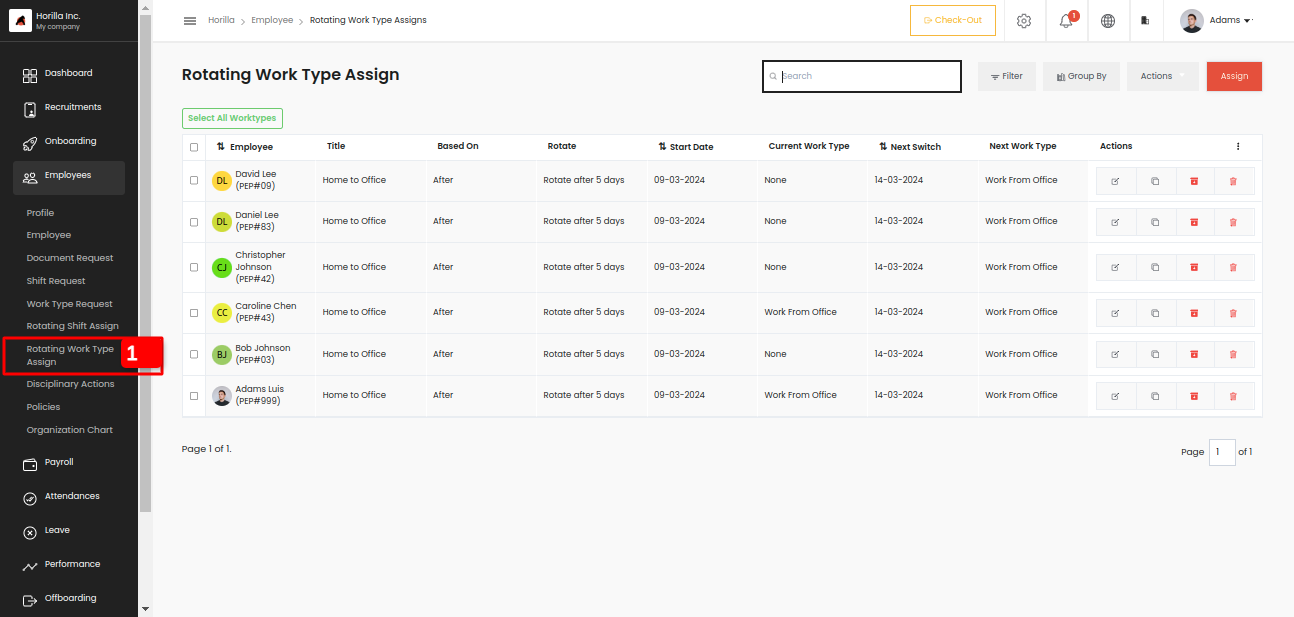
Rotating work-type assign is used to manage the frequently changing work type like rotating shift. You can create rotating work-type assign with some based on conditions. There are mainly three conditions after, weekend, and monthly like the rotating shift assign.
Admin can assign work type to multiple employees at a time, we can go through the form,
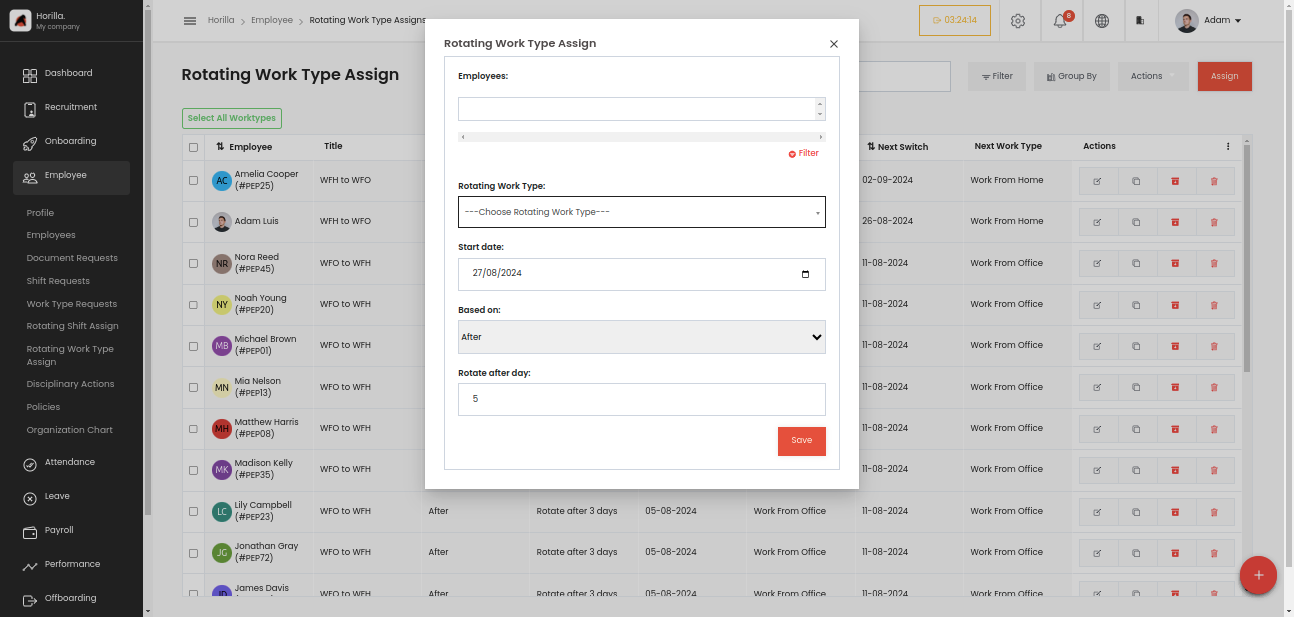
Employees: The field is to select the employees, and it is a multi-selection field, that can select multiple employees and also by filtering.
Rotating Work Type: This field is used to select the work type that assign to employees. This can be created from Settings -> Employee -> Rotating Work Type. First of all, we should have the work types in the same section.
Start date: A date field to choose when the rotation should start.
Based on: There are 3 types,
- After: Update the work type information with fixed intervals of days
- Weekend: Update the work type information on any weekday that you choose.
- Monthly: Update the work type information on every date that you choose.
Rotate: This field depends on the above mentioned field “Based On”.
If the based on field is “After” the field will be “Rotate after day” and is a number field to select a value.
If the based on field is “Weekend” the field will be “Rotate every weekend” and is a field to select the day in a week.
If the based on field is “Monthly” the field will be “Rotate every weekend” and is a field to select the date in a month