

Appearance
Resume Shortlisting
The task of shortlisting resumes can be a daunting process for HR professionals. With numerous applications flooding in for every job posting, identifying the best candidates quickly and efficiently is crucial. One of the most effective methods for streamlining this process is through skill-based keyword optimization. By focusing on specific skills, HRs can significantly reduce the time spent sifting through resumes and increase the accuracy of selecting the most qualified candidates.
Skill-based keywords are specific abilities or competencies that are critical to a particular job role. They often include technical skills, soft skills, certifications, and experience with particular tools or technologies. These keywords are derived from the job description and are essential for matching resumes to the job requirements.
Accessing Resume Shortlisting
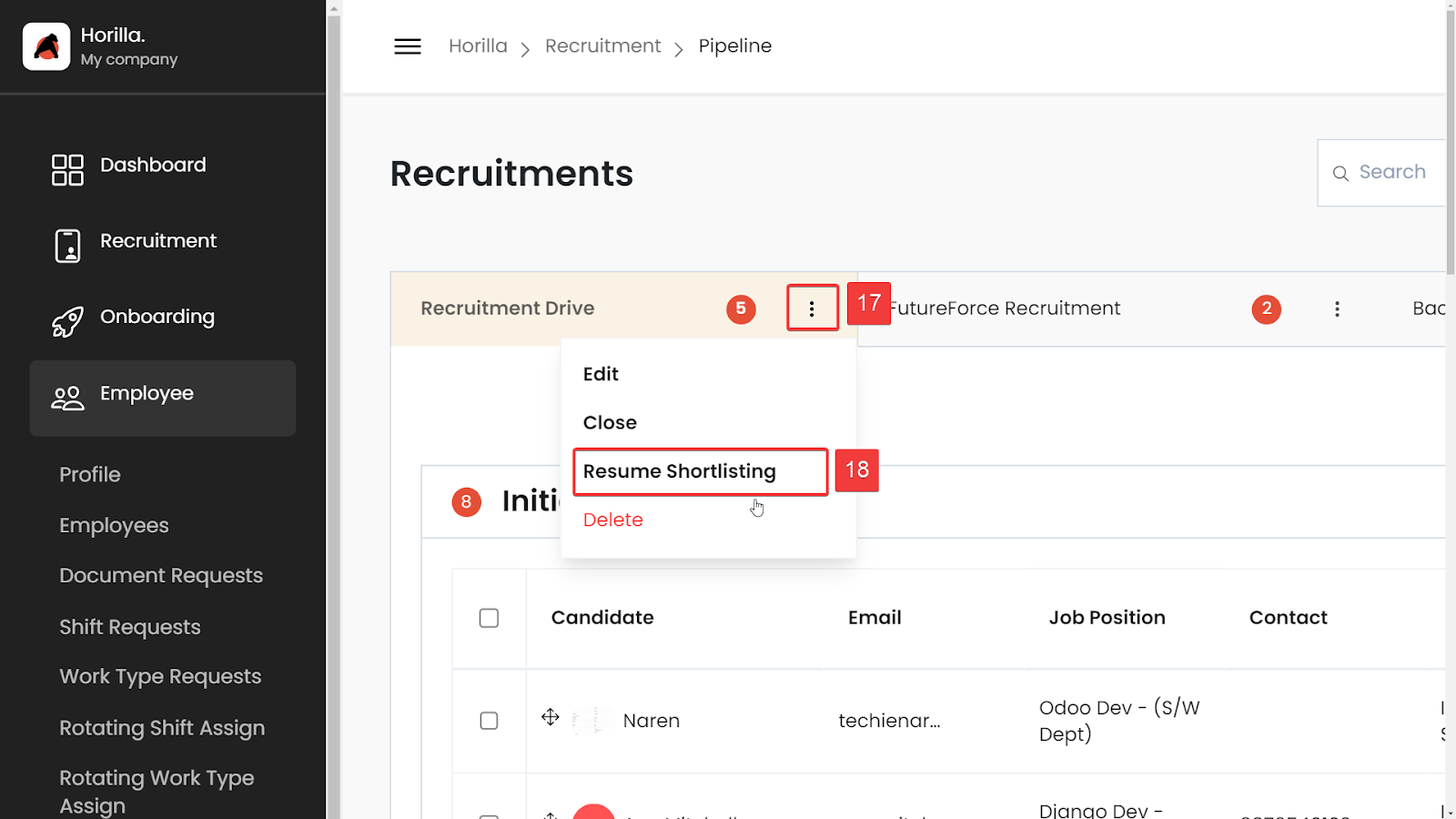
- In the recruitment pipeline, click on the three dots(Marked as 17) on the tab heads.
- Select “Resume Shortlisting” from the dropdown menu (Marked as 18).
Adding Resumes
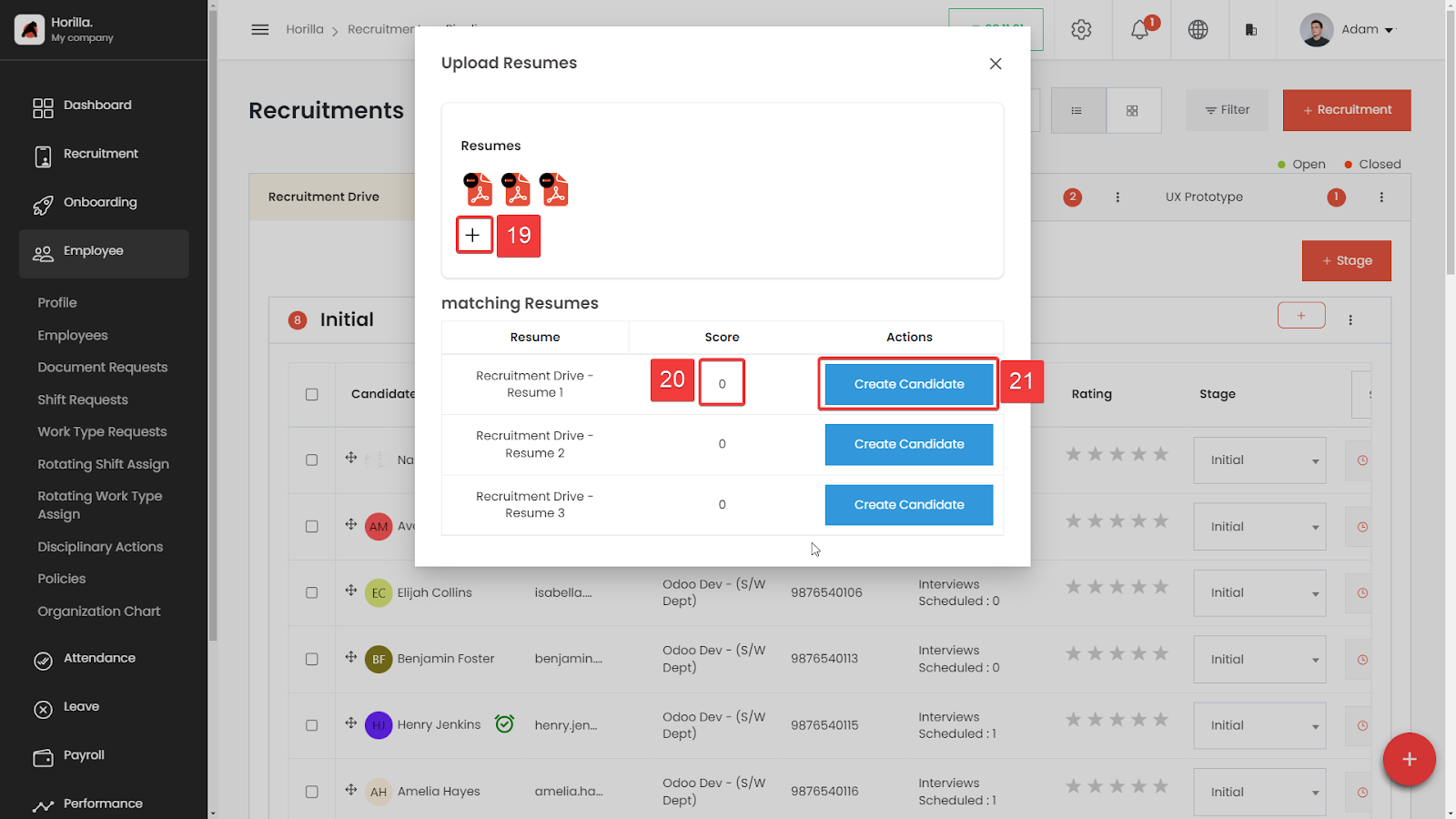
- Click on the “+” button to add resumes(Marked as 19).
- You can add multiple files at once
Automated Scoring
- After adding the resumes, the system will automatically calculate the scores for each resume (Marked as 20).
- The scoring is based on the number of skills present in each resume that match the required skills for the recruitment.
- Resumes will be displayed in descending order of their scores.
Creating Candidates
- Click on the “Create Candidate” (Marked as 21) button to be redirected to the candidate creation form.
- The form will be auto-filled with data extracted from the resume.
- Verify the accuracy of the information in the fields by checking the preview of the resume on the right side.
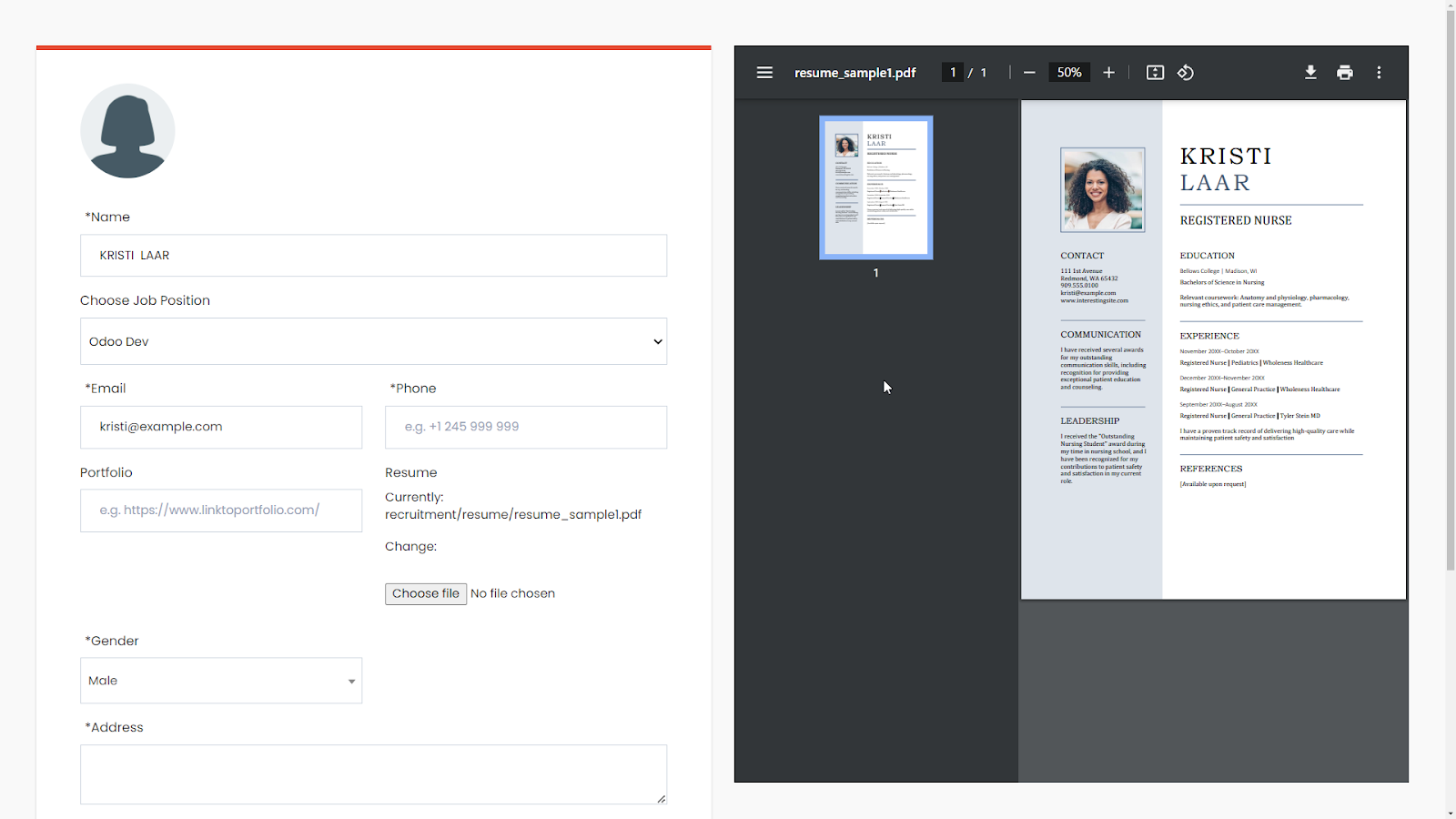
- Submit the form to create the candidate.
- To create another candidate, return to the previous tab and click on the “Create Candidate” button again to repeat the process.
Important Note
- Some types of PDFs, such as image PDFs or scanned PDFs, cannot be read by the system. These resumes will be marked as “Need Verification” in the score column.