

Appearance
Notification Template in Horilla CRM - A Complete Functional Guide
Overview
The Notification Template feature allows users to create reusable notification templates linked to specific system models. These templates can be used in automation workflows, including Mail Automation.
Navigation
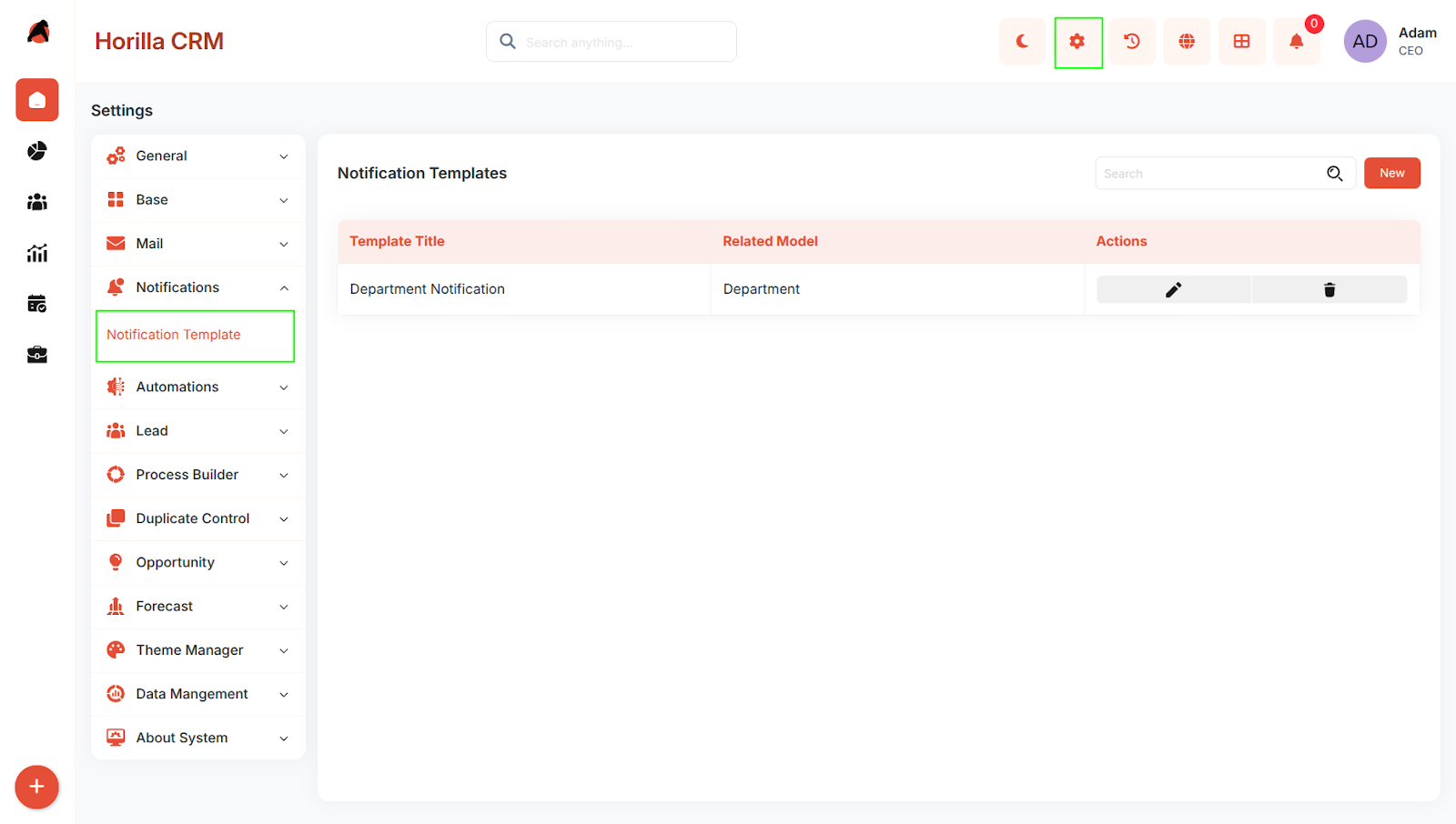
Settings → Notifications → Notification Template
Notification Template List
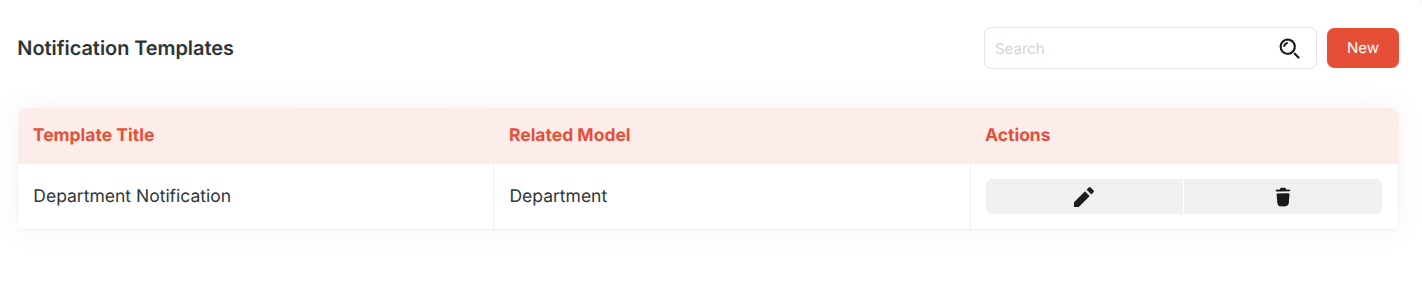
The Notification Template page displays all created templates.
Available Information
- Template Title
- Related Model
- Actions
- Edit
- Delete
Available Actions
Users can:
- View existing templates
- Search templates
- Create a new template
Create Notification Template
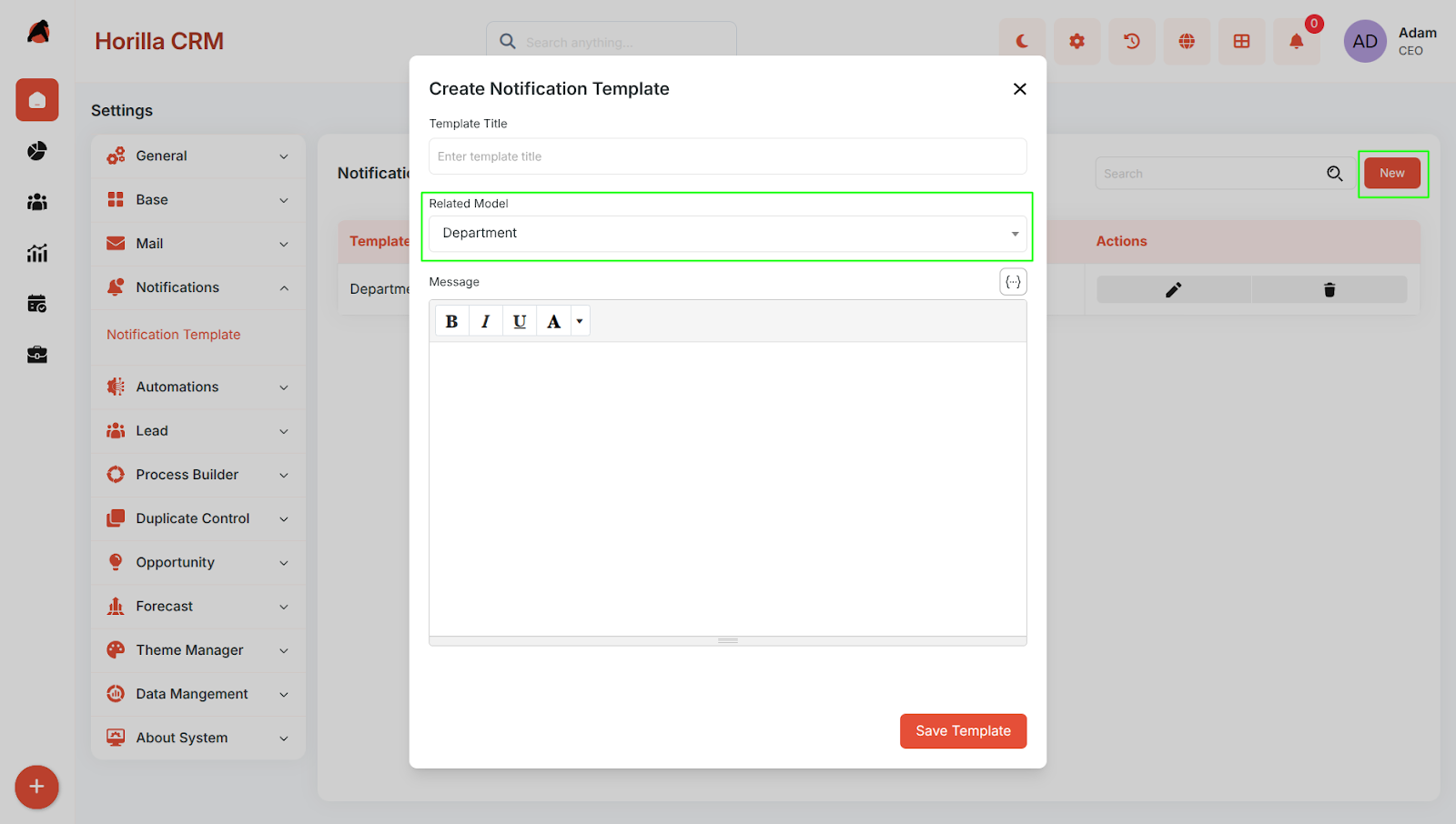
To create a new notification template, click New.
This opens the Create Notification Template form.
Fields
Template Title
Specifies the name of the notification template.
Related Model
Defines the model associated with the template.
Users can select any available model from the list.
Template Detail View
Once a template is created, clicking the Template Title opens the template detail view.
The detail view is used to access the template configuration and associated information.

Usage in Automation
Notification templates created here can be used while configuring Mail Automation.
This allows users to reuse predefined notification structures in automated workflows.
Expected Behavior
- Users can create notification templates.
- Users can associate templates with available models.
- Created templates are listed in the Notification Template page.
- Clicking a template title opens its detail view.
- Templates are available for use in Mail Automation.