

Appearance

Horilla CRM Version Info – Functional Guide
Overview
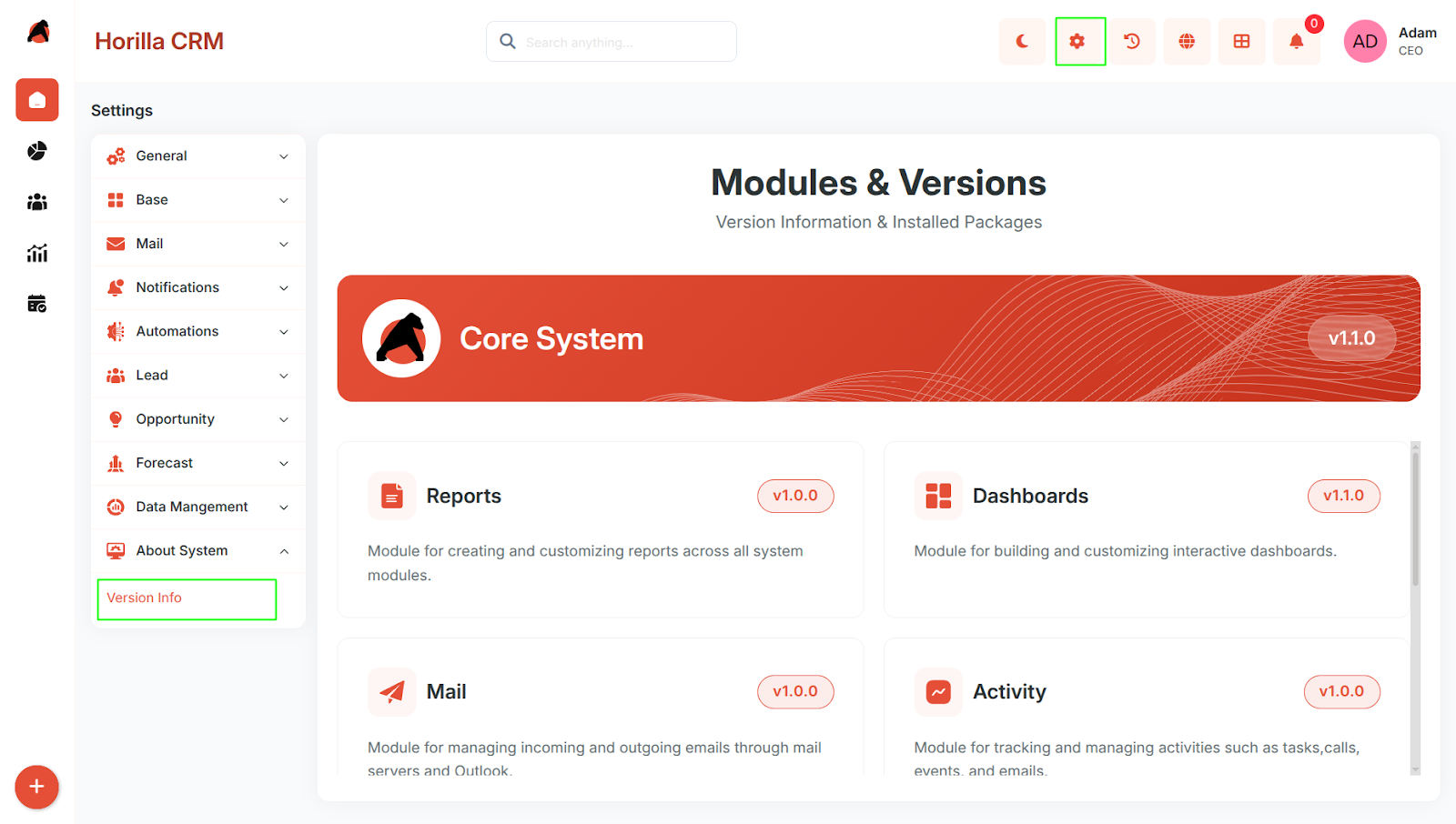
The Version Info section allows users to view the current version details of the Core System and installed modules. It also provides release information for both the latest and previous versions.
This helps users understand the changes introduced in each release, including new features, improvements, and updates.
Navigation
Settings → About System → Version Info
Functionality
Version Info Page
The Version Info page displays:
- Core System version card
- Installed module version cards
- Version number for each item
- Short description of the system/module
View Version Details
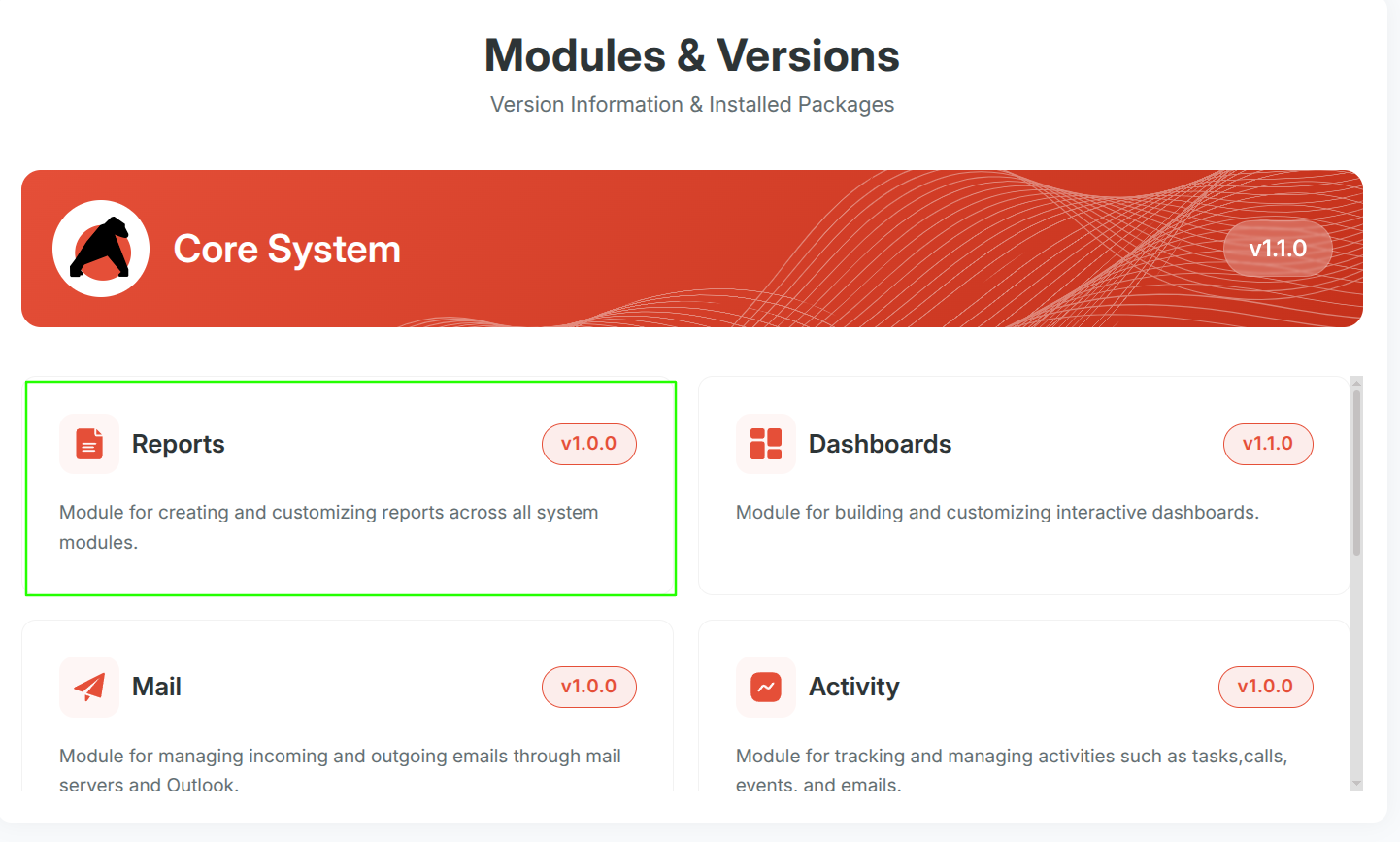
Users can click on a version card to open the Version Details popup.
The popup displays:
- Name of the system/module
- Current version
- Description
- Version-wise update history
Version History
The Version Details popup shows:
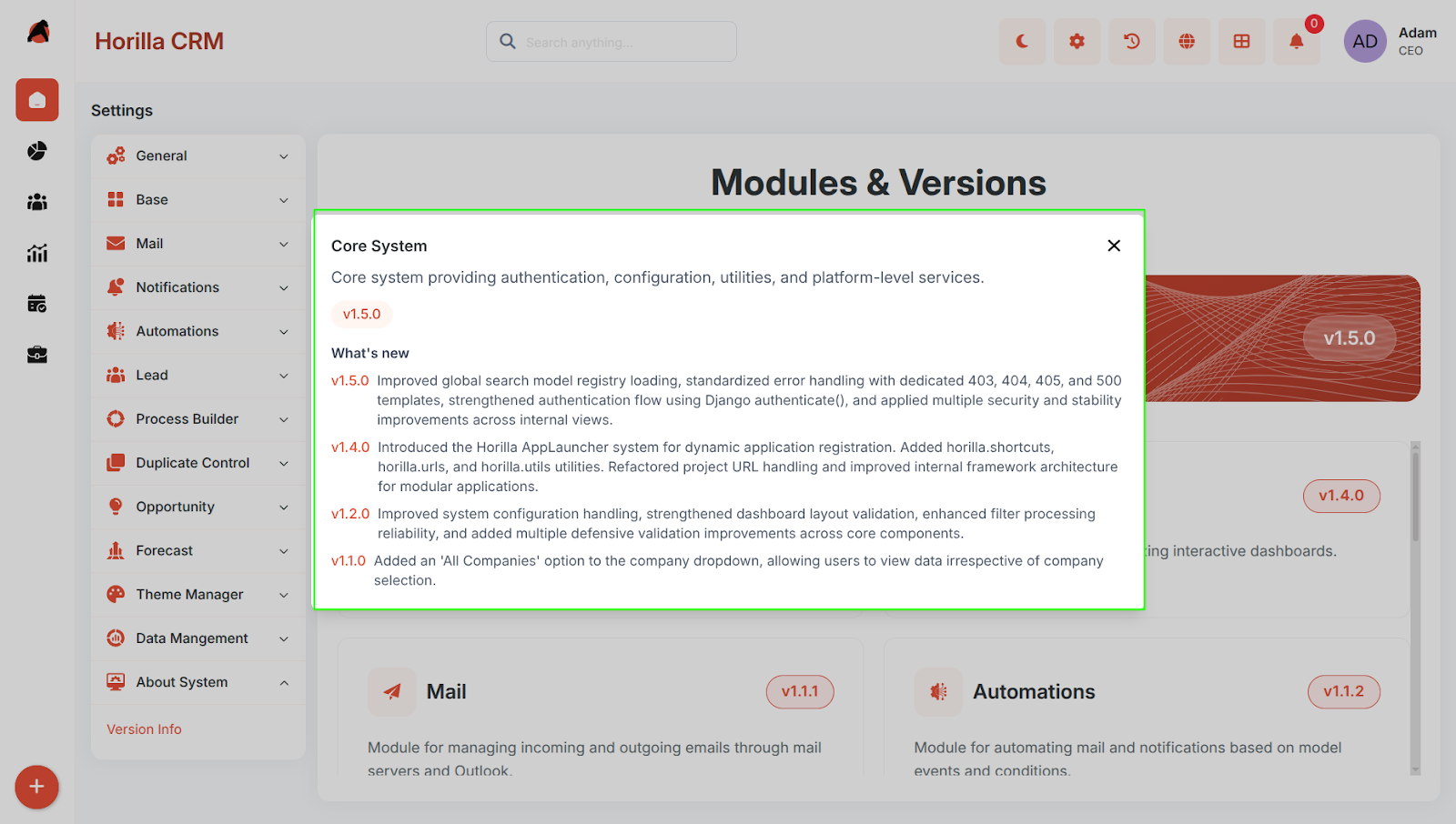
- Current version updates
- Previous version updates
This allows users to review changes introduced across multiple versions.
Purpose
The Version Info section helps users to:
- Identify the currently installed version
- Review newly added features
- Understand improvements and updates
- Check previous version changes
Expected Behavior
- The Version Info page should list available version cards.
- Clicking a card should open detailed version information.
- Users should be able to understand what has changed in the current and earlier versions.