

Appearance
Horilla CRM Recycle Bin – Functional Guide
Introduction
The Recycle Bin Module in Horilla CRM ensures that accidentally deleted records are not lost permanently. It provides a secure temporary storage for deleted data, allowing users to restore or permanently delete records when needed. By offering granular control and configurable expiry policies, the Recycle Bin enhances data security, prevents accidental loss, and aligns with organizational data retention policies.
Key Features and Functionalities
1.1 Recycle Bin Overview
Purpose: Provide a centralized location to manage deleted records across all CRM modules.
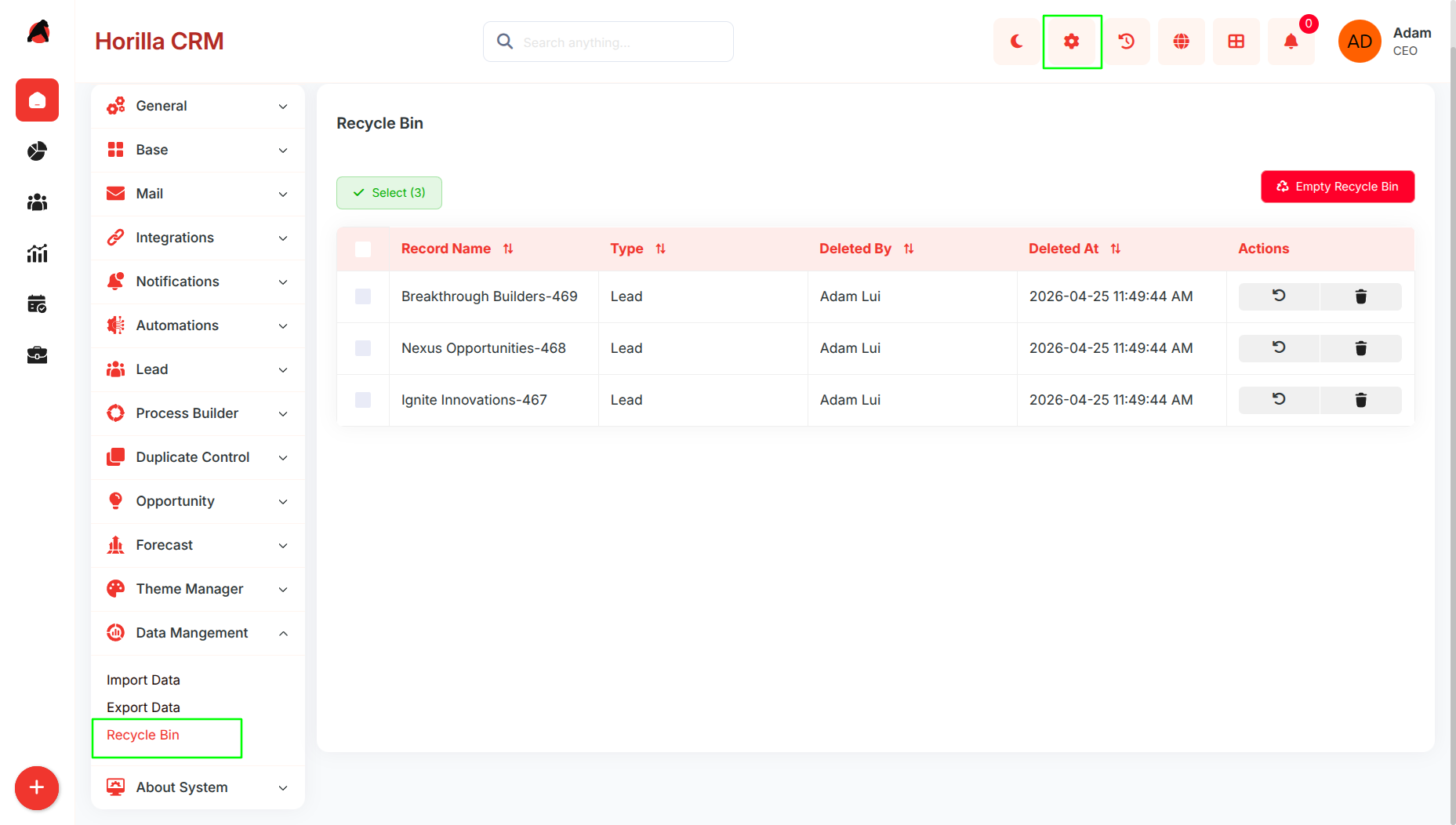
Accessible via Settings → Data Management → Recycle Bin.
Displays essential record details including:
Record Name
Type (Module Name)
Deleted By (User)
Deleted At (Timestamp)
Supports search, filtering, and sorting to quickly locate deleted records.
Provides action buttons for Restore (undo deletion) and Permanent Delete (remove forever).
Bulk operations are supported via multi-selection checkboxes.
1.2 Restoring Deleted Records
Purpose: Allow users to recover accidentally deleted records.
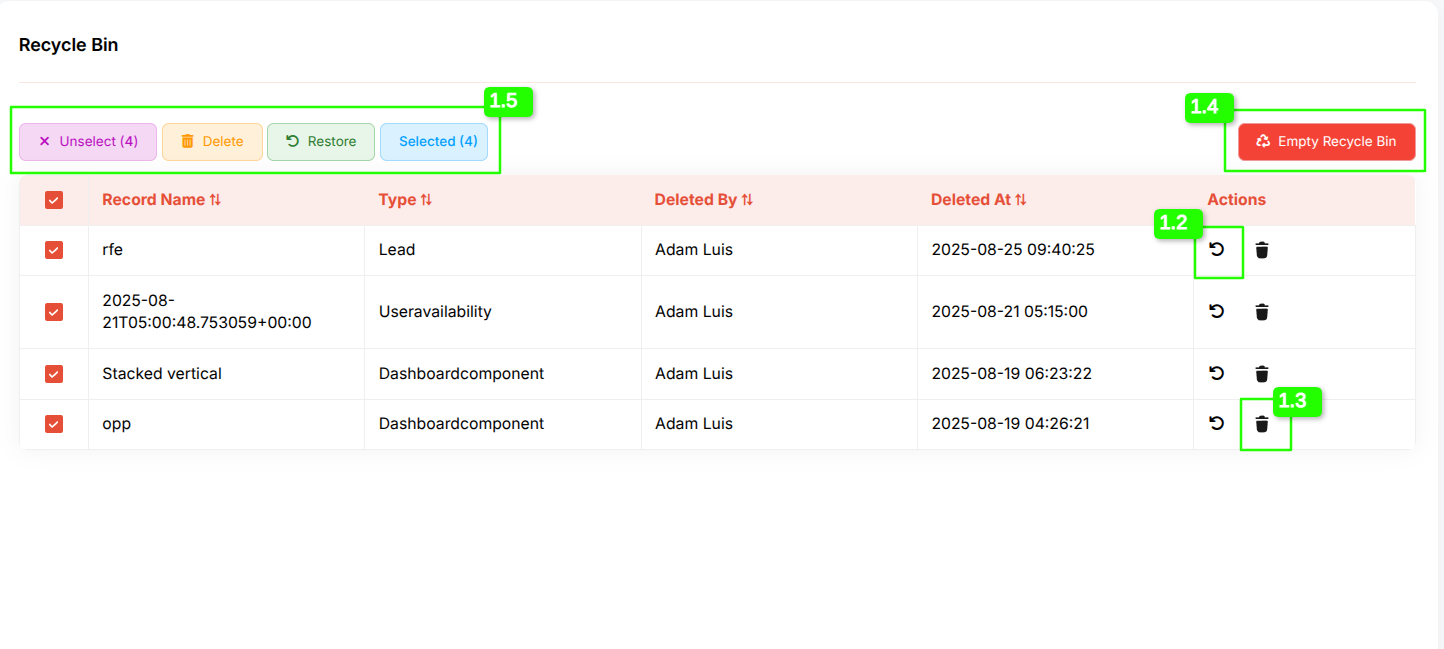
Records can be restored individually using the Restore icon in the Actions column.
Bulk restore is available by selecting multiple records and clicking the Restore button.
A confirmation prompt ensures users validate the action before restoration.
Once restored, the record is immediately reinstated in its original module with full data integrity preserved.
1.3 Permanent Deletion of Records
Purpose: Provide secure and controlled removal of unwanted records.
Records can be permanently deleted from the Recycle Bin individually using the Delete icon.
Bulk deletion is supported via the Delete button after selecting multiple records.
A confirmation dialog appears before deletion to prevent accidental data loss.
Once permanently deleted, records cannot be recovered.
1.4 Empty Recycle Bin
Purpose: Quickly clear all deleted records in one action.
The Empty Recycle Bin option permanently deletes all items currently in the recycle bin.
A confirmation dialog is displayed before execution to prevent accidental data loss.
Once confirmed, all records are removed permanently and cannot be recovered.
Useful for administrators who want to clear large amounts of deleted data in a single step.
1.5 Bulk Actions and Selection
Purpose: Improve efficiency in managing large volumes of deleted data.
Options include Select All, Unselect, and Selected (count) indicators.
Bulk actions available:
Restore selected records
Permanently delete selected records
Selected records are clearly highlighted to ensure user clarity before taking action.
1.6 Recycle Bin Policy (Expiry Settings)
Purpose: Automate data retention and compliance management.
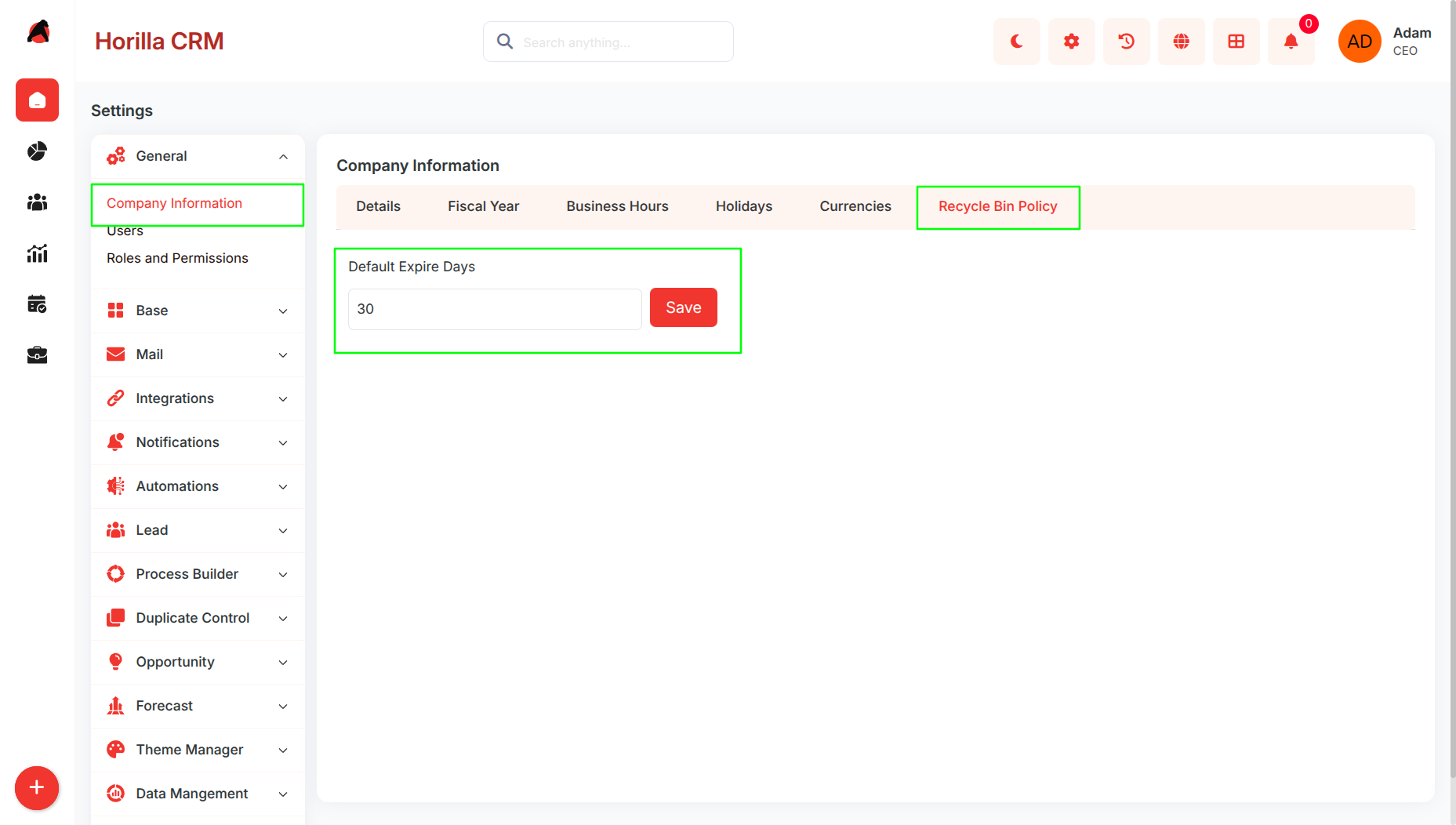
Accessible via Settings → General → Company Information → Recycle Bin Policy.
Administrators can define Default Expiry Days for deleted records.
When the expiry period is reached, records are automatically and permanently removed from the Recycle Bin.
Ensures compliance with organizational data policies without manual intervention.